Auto swipe on Tinder, on your terms
SWIPR is a browser extension that Likes or Nopes each Tinder profile for you, based on keywords, age, distance, height and more.
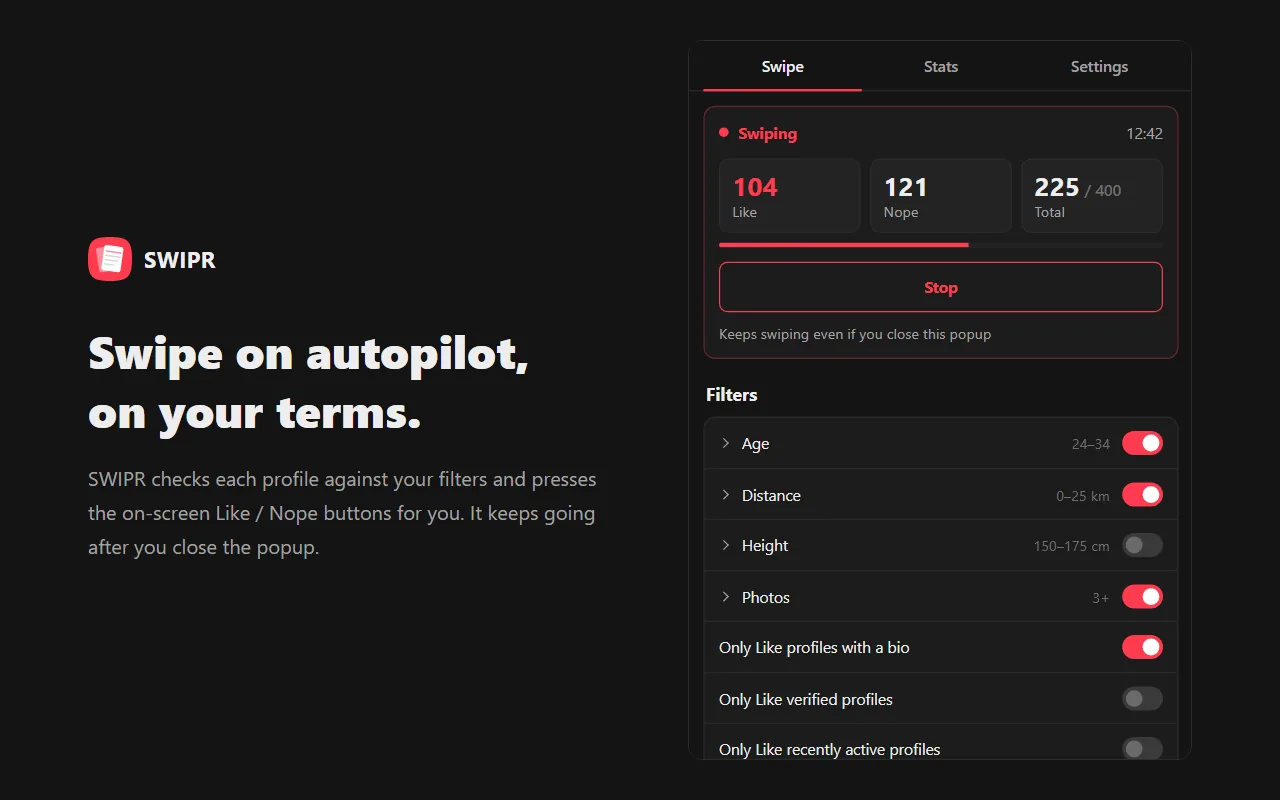
See SWIPR in action
Everything you need to swipe smarter
Keyword filters
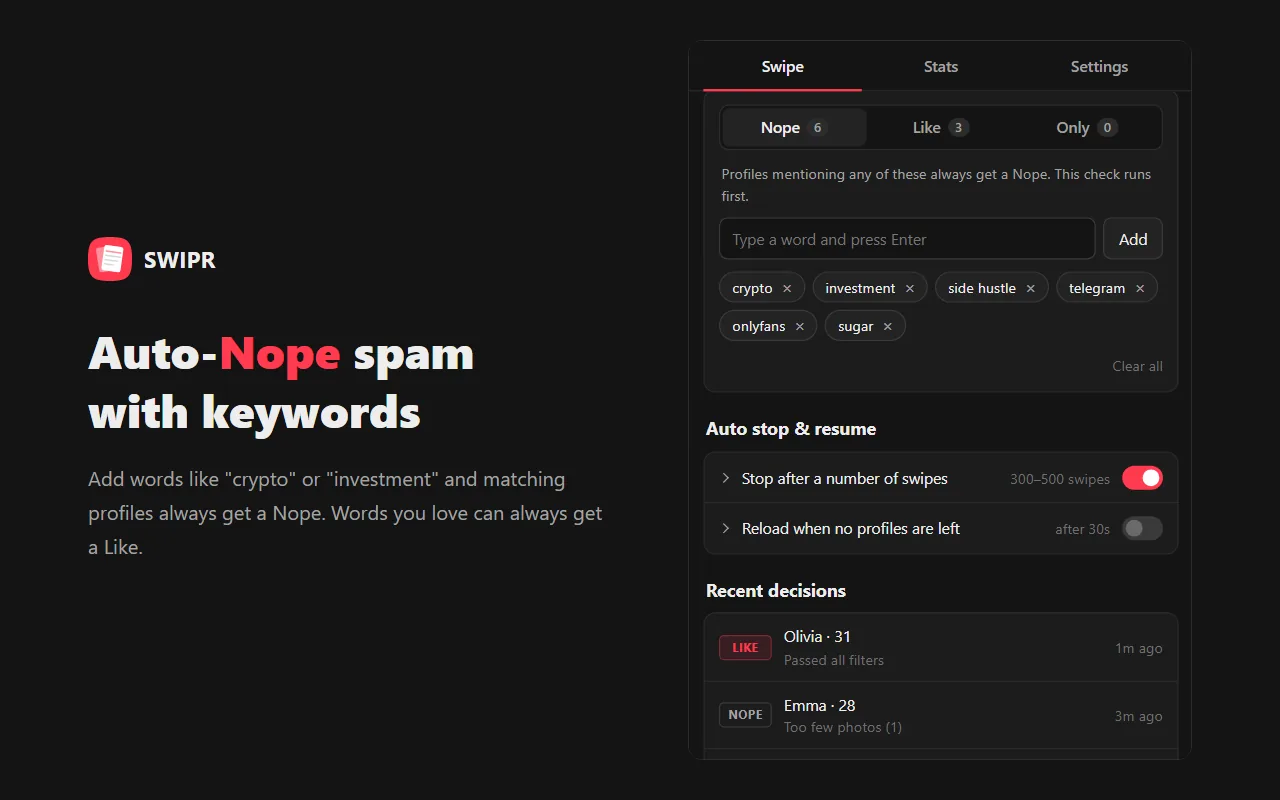
Always Like or Nope profiles that mention words you choose — in the bio, job, school, interests and more. Or only Like the profiles that match.
Age, distance & height
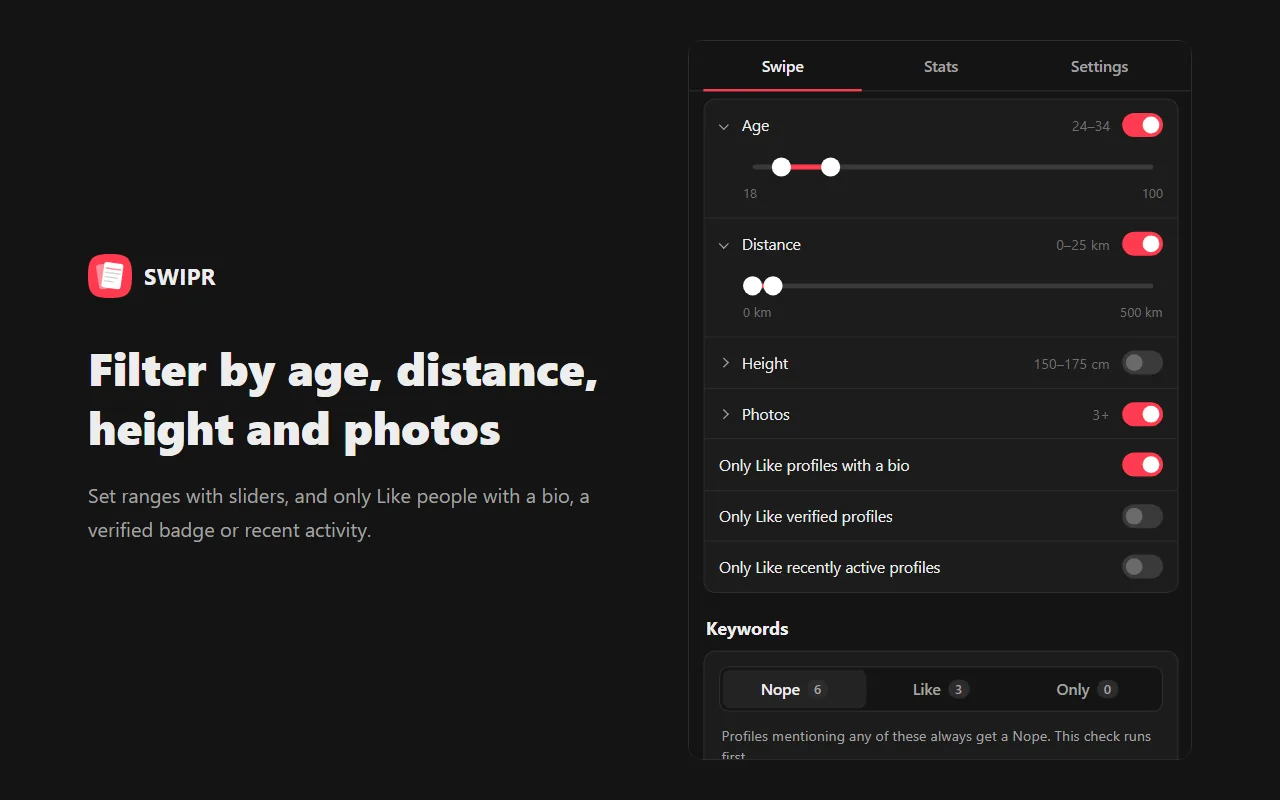
Set ranges for age, distance and height, plus a minimum number of photos, bio required, verified only and recently active.
Hands-free auto swipe
SWIPR presses Tinder's own Like / Nope buttons at random intervals and keeps running after you close the popup.
Auto stop & resume
Stops after a set number of swipes or when you run out of Likes, and reloads and resumes when no profiles are left.
Stats & swipe reasons
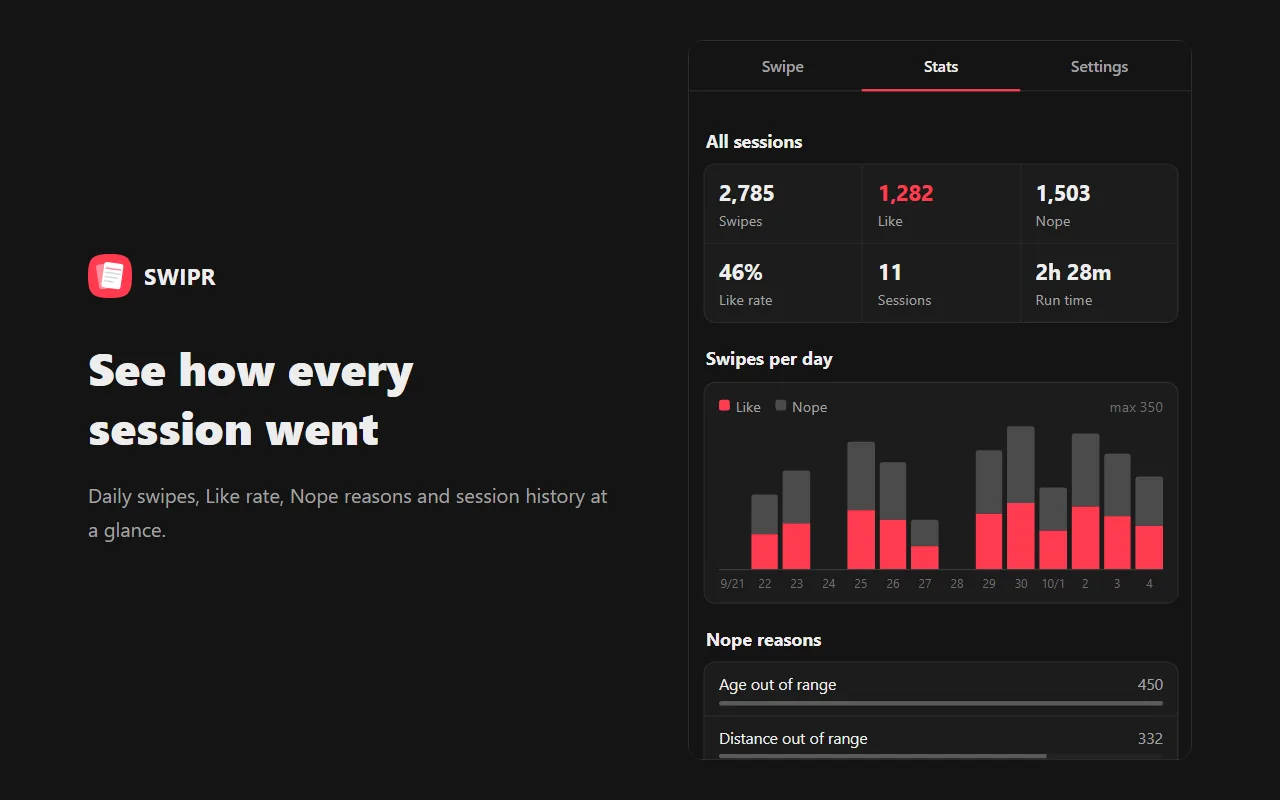
See total swipes, Like rate, a 14-day chart, Nope reasons and the reason behind every recent decision.
Private by design
Profiles, settings and history stay in your browser. SWIPR never calls Tinder's API on its own.
How to auto swipe on Tinder
Install SWIPR
Add it to Chrome, Edge or Firefox from the official store.
Set your filters
Open Tinder Web (tinder.com) on your computer, click the SWIPR icon and choose age, distance, keywords and more.
Press Start swiping
SWIPR decides Like or Nope for each profile and swipes for you. Stop it any time.
Pricing
- Unlimited swipes
- No subscription, no recurring charges
- One license works on up to 3 devices
- Secure checkout by Stripe
A license is required to start swiping.
Frequently asked questions
How do I auto swipe on Tinder?
Install SWIPR, open Tinder Web on your computer, set your filters in the SWIPR popup and press Start swiping. SWIPR evaluates each profile and presses Like or Nope for you.
Does SWIPR work on the Tinder phone app?
No. SWIPR is a browser extension for Tinder Web (tinder.com) on desktop Chrome, Microsoft Edge and Firefox.
Is SWIPR free?
SWIPR is a one-time purchase of $3.49 with no subscription. A license is required to swipe.
Can my Tinder account get banned?
Automated activity may violate Tinder's Terms of Use and could lead to your account being restricted or banned. SWIPR uses random intervals and stops at the Like limit, but use it at your own discretion and risk.
What data does SWIPR collect?
Profiles, settings, stats and history are processed and stored only in your browser. Only your license key, a random install ID and a device name are sent to our license server to verify your license.
Can I use one license on several computers?
Yes. One license works on up to 3 devices. You can free a device from Settings → License.
Which languages are supported?
English, Japanese, Portuguese (Brazil), Spanish, German, French, Italian, Korean, Polish and Turkish.
SWIPR is independent software, not affiliated with Tinder or Match Group. Automated activity may violate Tinder's Terms of Use and could lead to your account being restricted or banned. Use it at your own discretion and risk.